PadRelay
A downloadable utility / tool for Windows
## PadRelayとは?
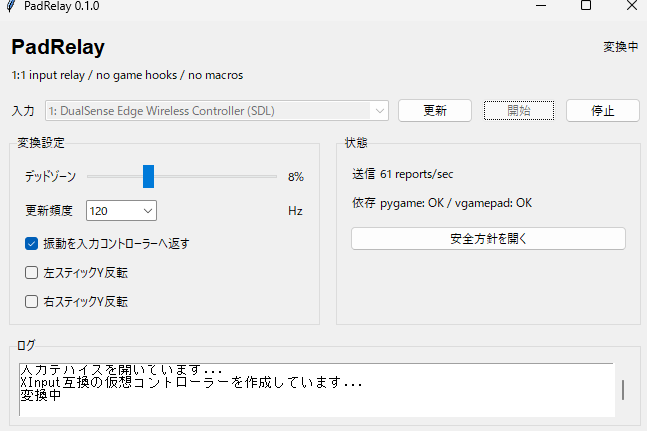
PadRelayは、Xboxスタイルのコントローラー入力に対応するものの、PlayStationスタイルのコントローラーを正しく認識しないゲームやアプリ向けのシンプルなWindowsユーティリティです。
一部のPCゲームは、Xboxコントローラーで一般的に使用されている入力規格であるXInputをサポートしていますが、PlayStationスタイルのコントローラーへの対応は不十分、あるいは全く対応していません。PadRelayは、ローカルコントローラーの入力をXInput互換の仮想コントローラーに中継することで、この問題を解決します。
つまり、Xboxコントローラーでは動作するゲームでも、PS5タイプのコントローラーでは動作しない場合、PadRelayが役立つかもしれません。
## まずは無料トライアルをお試しください
ご購入前に体験版をお試しください。
体験版では、PadRelayが正しく起動し、お使いのPC、ゲーム、コントローラーの設定で動作することを確認できます。約1時間のリレー機能が利用可能です。
体験版をダウンロードし、コントローラーを接続してPadRelayで選択し、ゲームが正しく入力を受け付けるかどうかを確認してください。
## PadRelayを選ぶ理由
PadRelayは、可能な限りシンプルになるように設計されています。
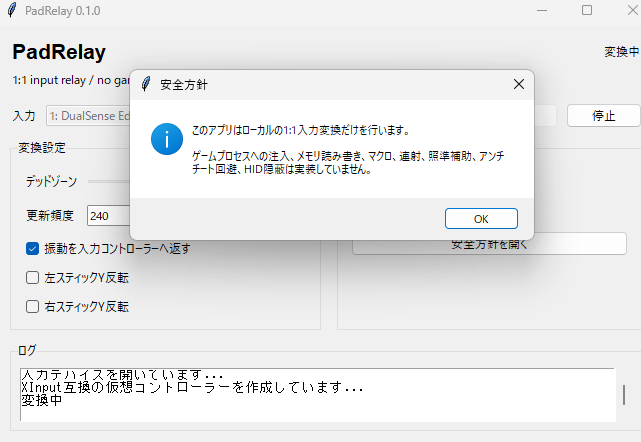
これは完全なリマッピングスイートを目指したものではありません。複雑なプロファイル、クラウド同期、アカウントログイン、マクロ、連射機能、エイムアシスト、自動化機能は含まれていません。
目標は単純だ。
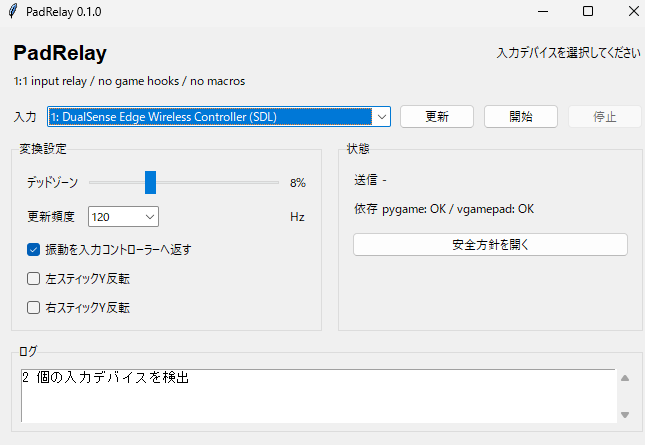
- コントローラーを選択してください
- リレーを開始する
- ゲームをプレイする
## 地域限定
PadRelay runs locally on your PC.
You do not need to launch Steam or any other platform just to use the controller relay. This makes it useful for Game Pass, Epic Games, GOG, standalone launchers, and other situations where Steam Input is inconvenient.
## Useful For
- Games that work with Xbox controllers but not PS5-style controllers
- Games where the PlayStation-style controller does not appear in settings
- Non-Steam games where Steam Input is inconvenient
- Users who want a small, focused tool instead of a large remapping suite
- Local controller compatibility without accounts, cloud services, or extra launchers
## What PadRelay Does
PadRelay reads your controller buttons, sticks, and triggers, then relays them to an XInput-compatible virtual controller on Windows.
To compatible games, this can appear like an Xbox-style controller.
## What PadRelay Does Not Do
PadRelay is not a cheat tool or automation tool.
It does not include:
- game process injection
- memory reading or writing
- macros
- rapid fire
- aim assistance
- recoil control
- anti-cheat bypass behavior
- HID hiding
- remote control features
It is only a local 1:1 controller input relay.
## Requirements
- Windows 10 or Windows 11
- A supported controller connected by USB or Bluetooth
- Virtual controller driver support installed by the setup process
## Notes
Some games may still detect both the physical controller and the virtual controller. Compatibility can vary depending on the game, launcher, and controller connection method.
Please use PadRelay only where controller remapping or virtual controller input is allowed by the game or platform rules.
## Disclaimer
PadRelay is independent software and is not affiliated with, endorsed by, or sponsored by Sony Interactive Entertainment, Microsoft, Valve, Steam, or any other platform or hardware owner.
Purchase
In order to download this utility / tool you must purchase it at or above the minimum price of $5 USD. You will get access to the following files:
Download demo